
Our students renew their registration and register for courses each semester by paying the tuition fees they are liable for within the periods announced at the beginning of every semester.
The matters concerning registration renewal dates, course registration and payment of tuition fees are set out below:
1. Important Points Regarding Tuition Fee Payment
Students who have debts from previous semesters will have their registration page closed and will not be able to complete their course registration. In order to carry out transactions for the current semester, previous semester debts must be paid first.
In the Student Information System, on the ‘Course Registration>Student Information’ screen, students either continue with course registration or are directed to payment, depending on their Financial Eligibility Status.
The two possible outcomes depending on the Financial Eligibility Status, and the steps to be followed, are as follows;
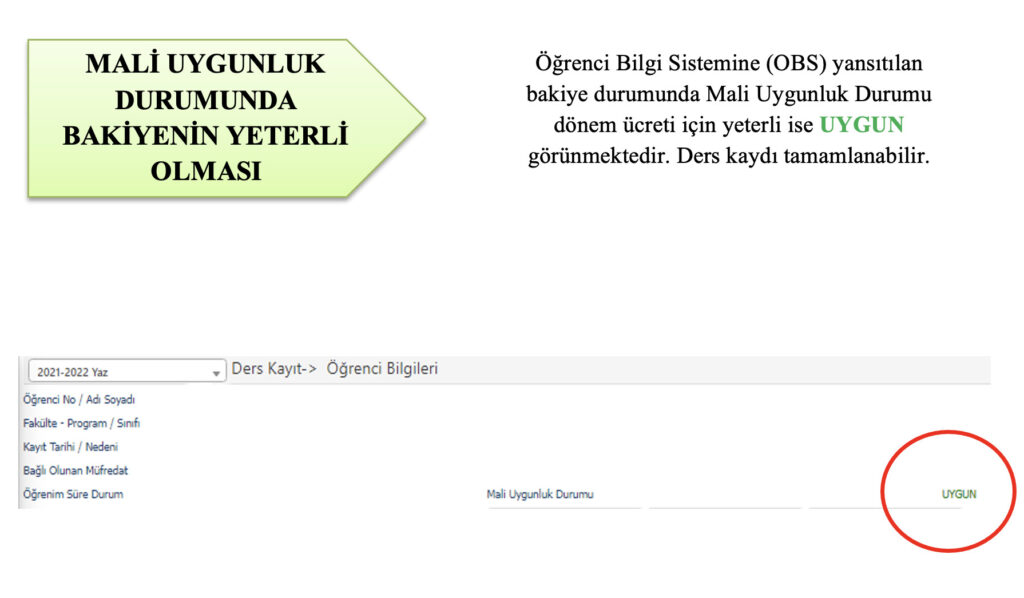
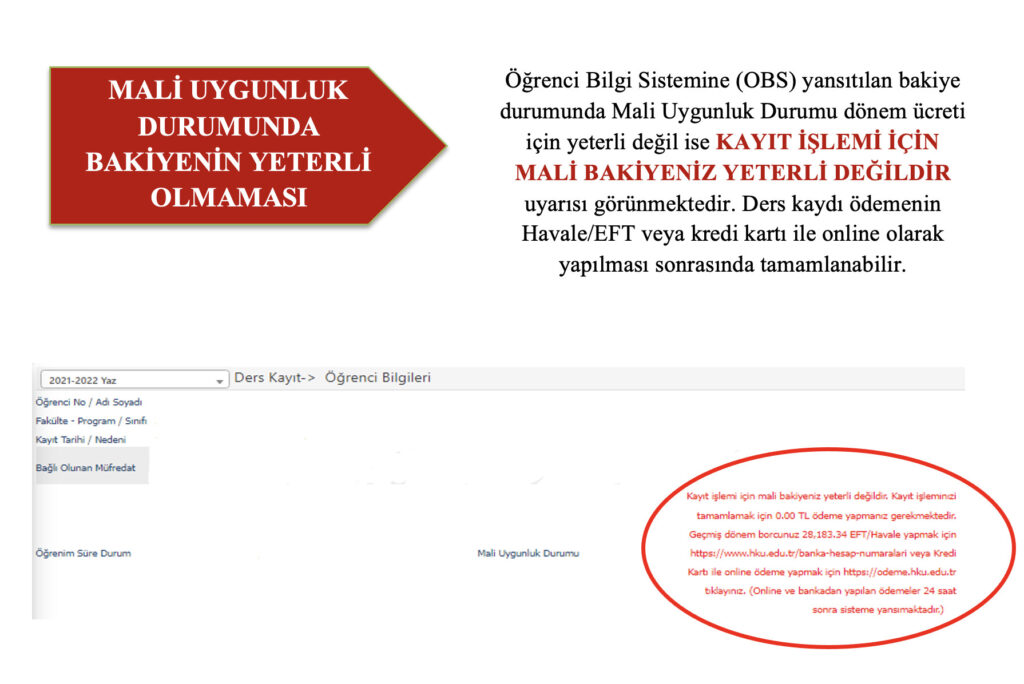
Information on EFT/bank transfer can be found at https://www.hku.edu.tr/banka-hesap-numaralari/. Payment by credit card can be made at https://odeme.hku.edu.tr/.
Students whose financial eligibility status has been completed should follow the steps below for course selection.
2. Important Notes on Course Selection
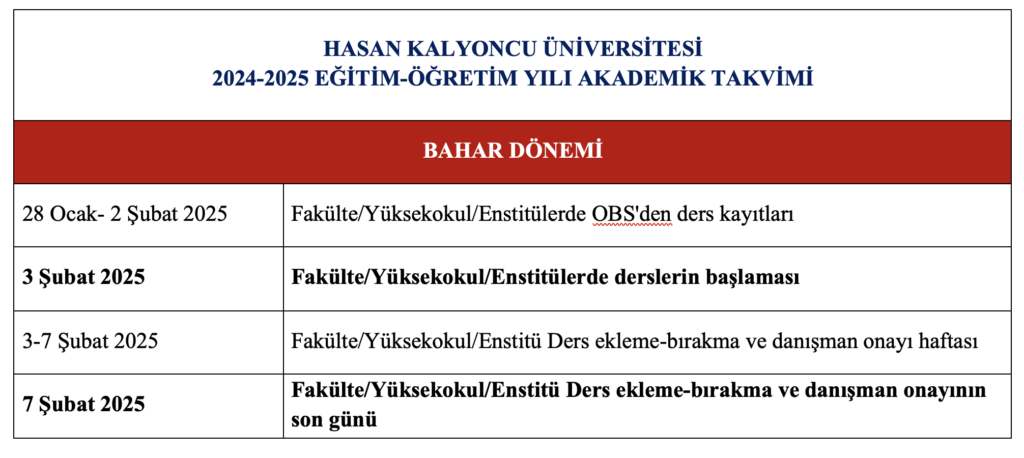
- All of our students, except those in the preparatory class, will complete their 2024-2025 Academic Year Spring Semester course registration online between 28 January 2025 (10:00) and 02 February 2025 (23:59).
- During the registration renewal period, our students will be able to register for courses by logging in to the Student Information System (OBS) (https://obs.hku.edu.tr/oibs/std/login.aspx).
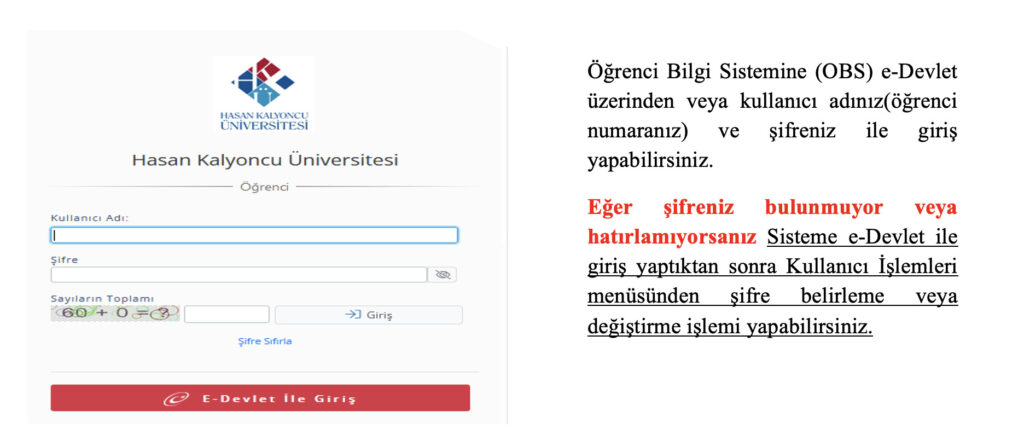
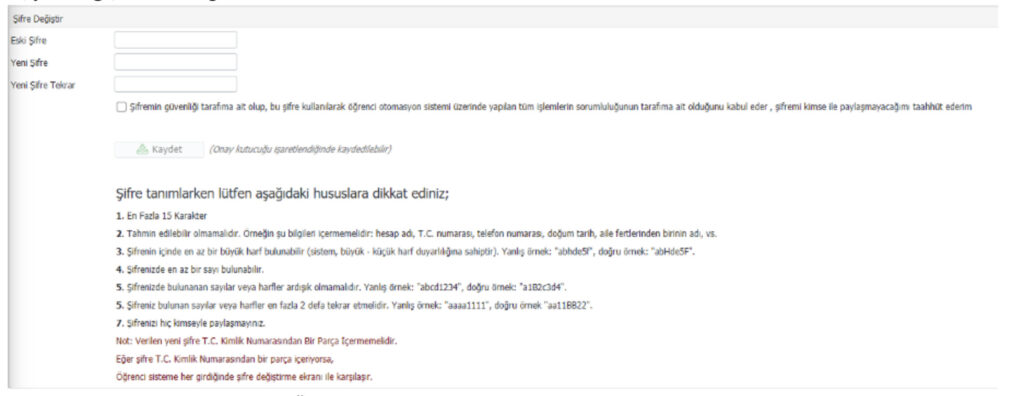
- If you are logging in to the system for the first time, or if your login password contains your Turkish ID number, the Change Password screen will appear and must be completed.
- Course registrations will be made through the Student Information System (OBS), and the courses will be approved by advisors. All courses selected by the student must be approved by the advisor. Courses awaiting approval are courses for which you have not registered. All responsibility in this matter rests with the student.
- If the advisor rejects a course registration, the course selection must be completed in line with the advisor’s warning.
- Students who have completed their course registration may make changes to the courses they have selected during the add/drop week, according to the academic calendar.
- Students may be unable to complete their course registration because they have not paid their tuition fees or for other reasons. However, these periods count towards the maximum period of study. Students in this situation cannot benefit from student rights (student certificate, ID card, letter to the military recruitment office, etc.), and the necessary notification is made to the military recruitment office for male students. Students who do not want this unregistered period to count towards their period of study may apply for a registration freeze.
3. Summary Information on Course Registration from the 2024-2025 Academic Year Academic Calendar
4. How to Register for Courses
After logging in to the Student Information System (OBS), course registration can be completed by following the steps below:
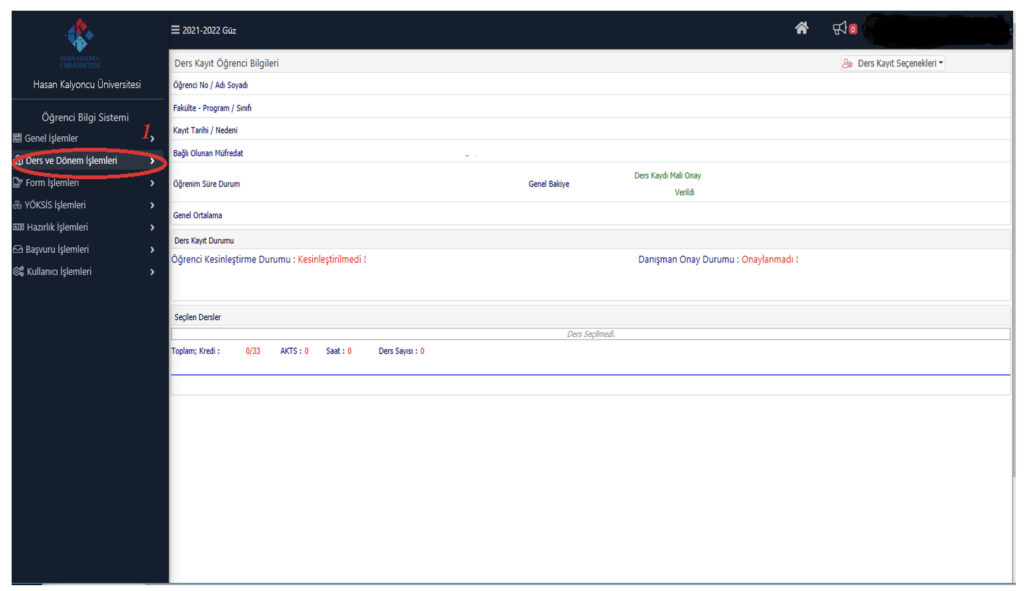
Select the “Course and Semester Transactions” menu (1).
-Select the “Course Registration” menu (2).
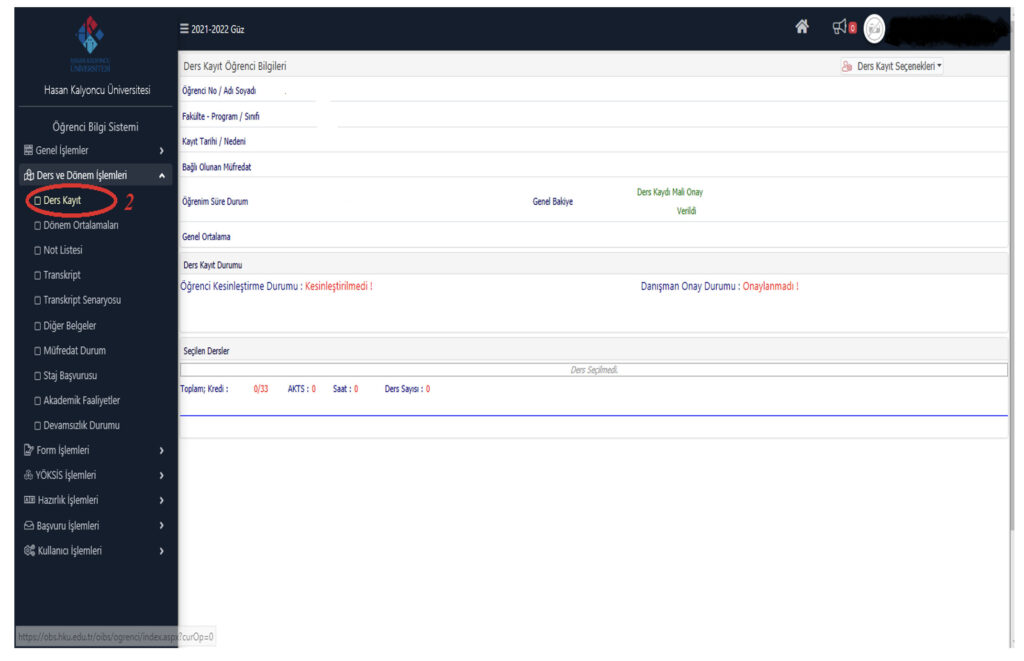
-When the “Course selection screen” opens, the courses offered in the 2nd, 4th and 6th semesters will be shown on the right side of the screen (3).

-Select the relevant courses from the list and add them to the system on the new page that opens (4).
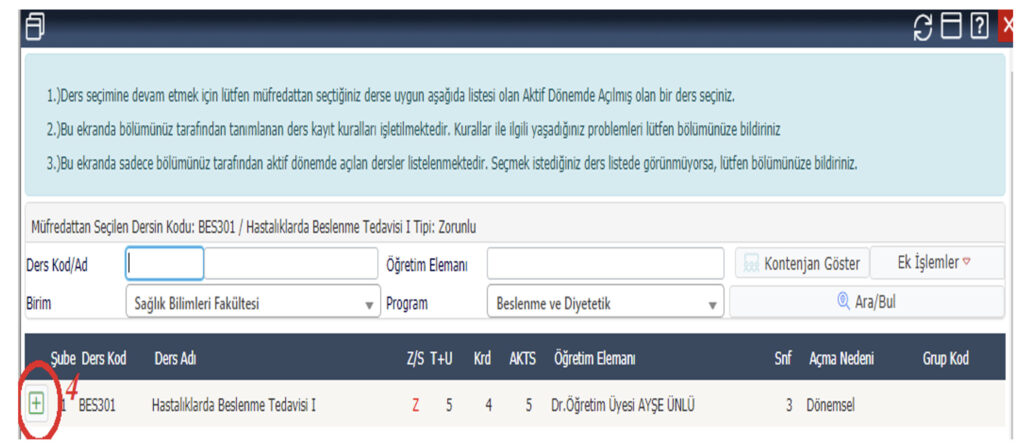
In this way, course selection is completed: the selections are saved by clicking the CHECK button (5) and the course selection process is finalised by clicking the FINALISE button (6).
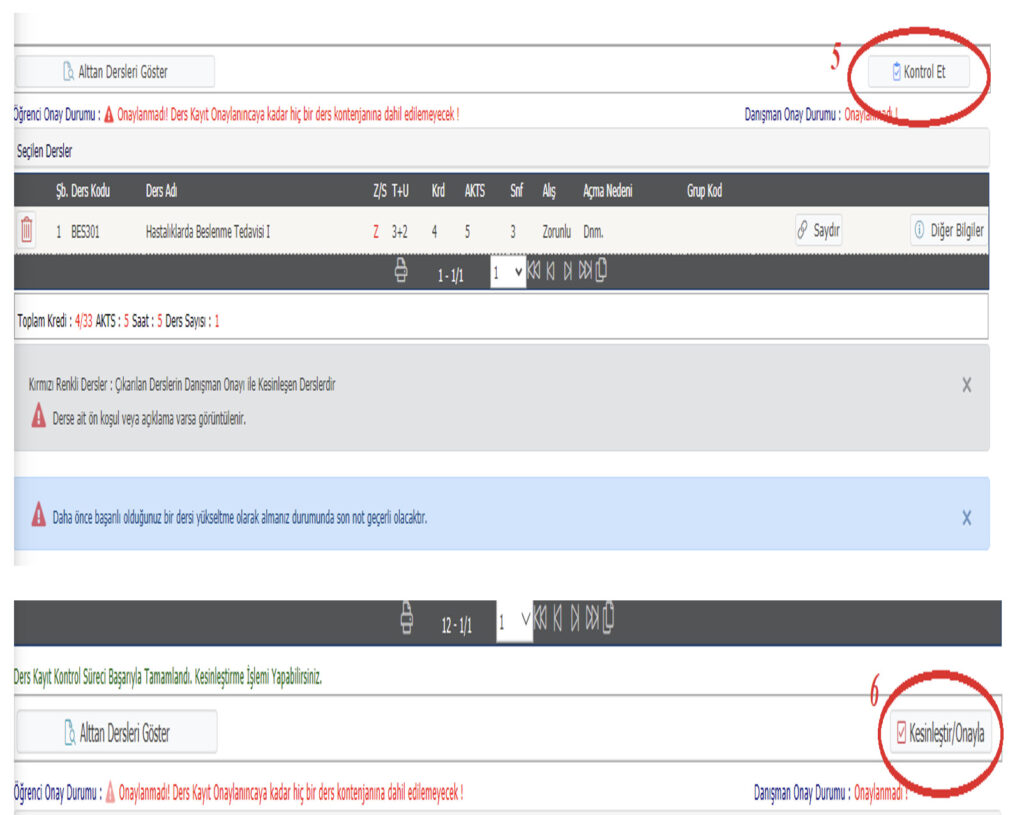
Note: Following the course registration process, between 3-7 FEBRUARY 2025 it is important to check the Advisor Approval Status.
If You Cannot Log In to the System, for Your Questions and Problems
oim@hku.edu.tr Please send an e-mail to this address.